Sa mbooloo lañu ko defal

Jiiteel sa mbooloo. Bul fa waxtaan rekk.

Bataaxal, xaalis, ndaje ak dogal — benn application ngir sa ndajem njaboot, sa nat, walla sa mbootaay mu am juróom-ñetti téeméeri bokk.

Nyocte group chat with a voice note and inline RSVP, vote, and pay actions

Xool

Xoolal Nyocte ci 25 segond

Benn film bu gàtt dafay wone ni mbooloo di doxe ci Nyocte: wàllu yi, ñi teew, wote yi, ak bépp xeetu mbooloo.

Wideo yépp

Fu ñuy tàmbalee

Lan moo leen boole?

100%
Amul fay
Cat ba cat
Béréb bu wóor
Ci saa si
Waxtaan ak xibaar
90+
Xeeti xaalis yu mu nangu

Yaa ngi waxtaan ci benn application, di fay ci beneen, dogal yi di réer ci biir bataaxal yi. Nyocte dafa leen boole — te yoonu jiite mbooloo mi ngi ci biir.

Ñetti application yu sa mbooloo di jëfandikoo ba pare. Benn béréb ngir jiite ko.

Waxtaanu mbooloo ci Nyocte, ak bataaxal baat bu ñu bind ak butoŋ yu Tontu, Wote ak Fay ci biir waxtaan wi

Waxtaan

Bataaxal yuy soppiku jëf

Bataaxal baat, waxtaan yu toppante ak tontu — ak butoŋ yu tontu, wote ak fay ci biir waxtaan wi. Doo wër ci menu yi bu Tànta Grace laajee ñu dëggal ko balaa àjjuma.

Su Nyocte amul: palaŋ bi mi ngi ci waxtaan wi, fay gi fu wuute lay ame, te kenn war na topp tablo Excel bi ba tey.

Xëtu TownSquare ci Nyocte, ak yëgle saalu ndajem njaboot gi ak reaksioŋi njaboot gi

TownSquare

Pénc mu sa mbooloo moom

Yëgle, reaksioŋ ak waxtaan ngir mbooloo mi yépp — du xët wu ñépp di gis, du it bataaxal bu ñu tëq mu réer. Bu Tonton Tunde jëlee saal bi, ñépp a koy gis te waxtaan wi foofu lay tàmbalee.

Su Nyocte amul: xibaar bu mag bi dañu koy yónneewaat ñetti yoon ci ñetti waxtaan, te genn-wàllu mbooloo mi du ko gis mukk.

Kees ci Nyocte, di wone xaalisu mbooloo mi, tënku weer wi ak fay yi mujj

Kees

Xaalis buy des ci mbooloo mi

Dajale wàllu yi, topp li des ci kont yi, te wone resi yi ci mbooloo mi — benn-benn, ak tur yi. Bu trésorier bi ubbee këyit yi, rapooru at mi bind na ba pare.

Su Nyocte amul: wàllu yi ci kontu nit ki lañuy dugg, resi yi ci kaptiir ekraŋ lañu nekk, te waññiwaat lépp dafay lekk sa dibéer gépp.

Benn bés, ak say nit
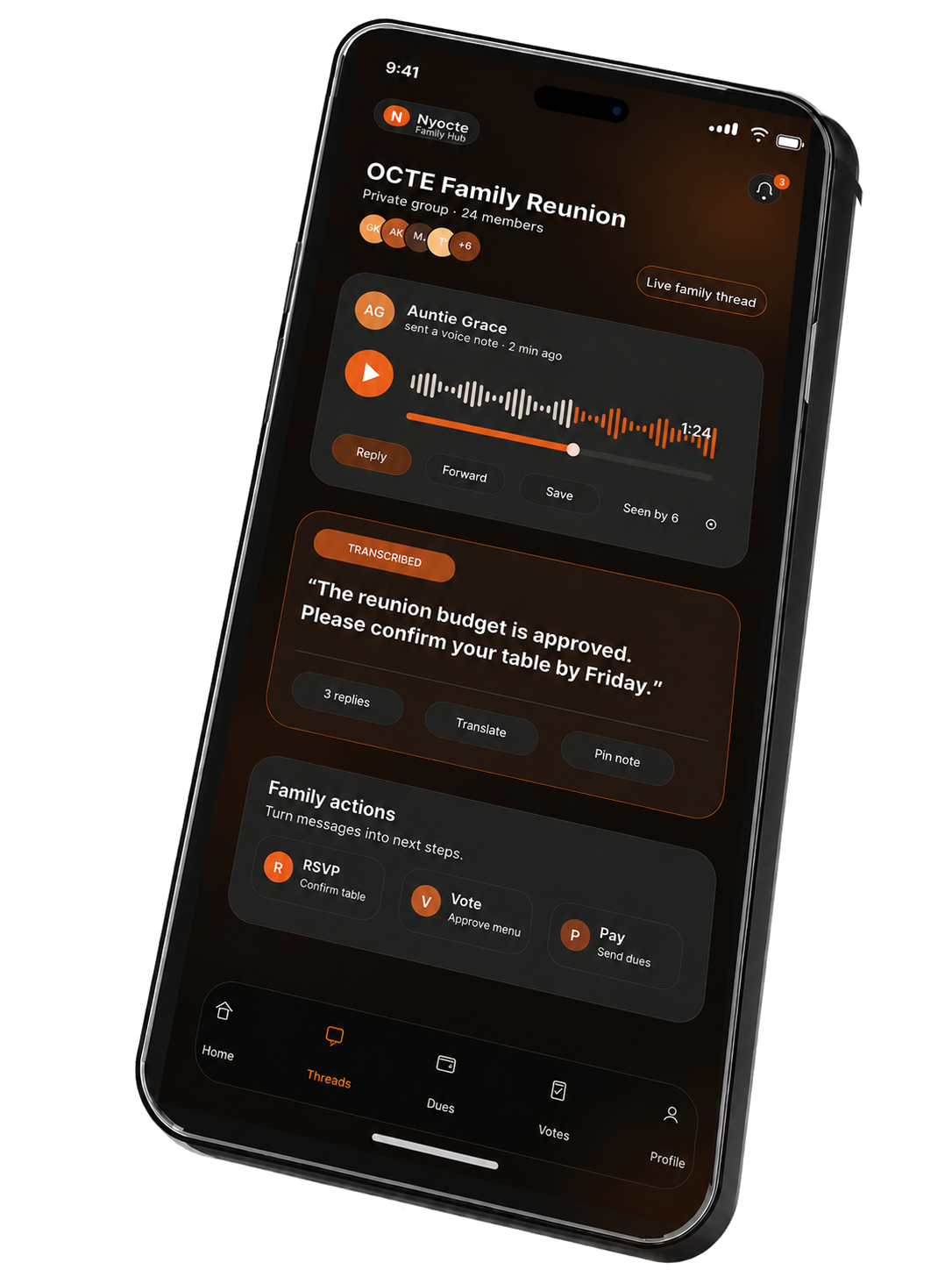
Nyocte Family Reunion chat — Auntie Grace voice note about budget approval, with inline RSVP, Vote, Pay actions
07:14

The first message of the day.

Auntie Grace voice-notes the family group: the budget passed, confirm your table by Friday. The whole family hears her — and right under her message, the actions are already waiting. RSVP. Vote. Pay. The chat doesn't send you off looking for the rest of the app. The rest of the app comes to the chat.
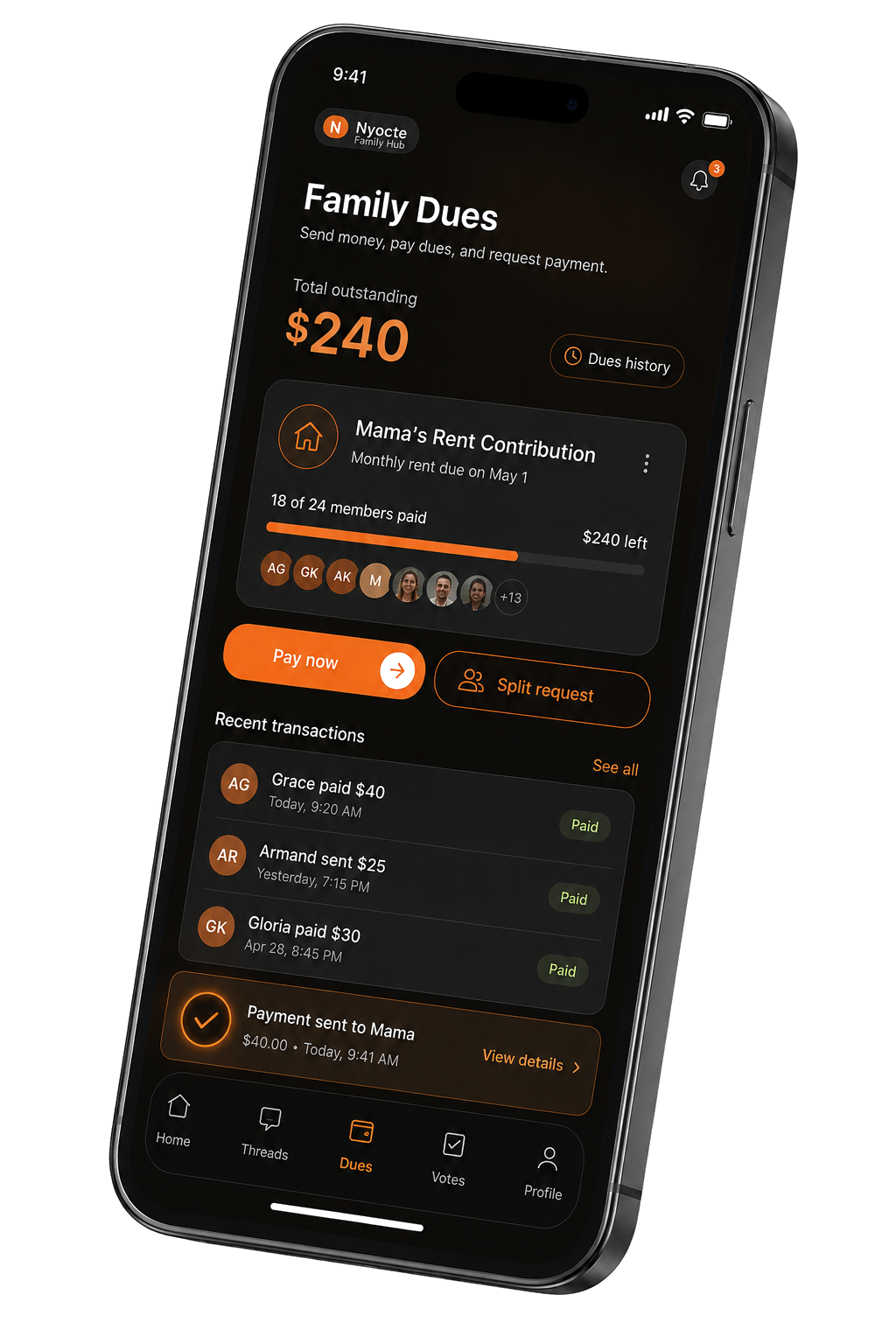
Nyocte Family Dues — Mama's rent contribution, 18 of 24 members paid, recent transactions
09:42

Mama's rent. The family pulls together.

Eighteen of twenty-four already paid. You tap once — your share lands in the pot, the receipt posts to the family group, and nobody has to chase anyone for what they owe.
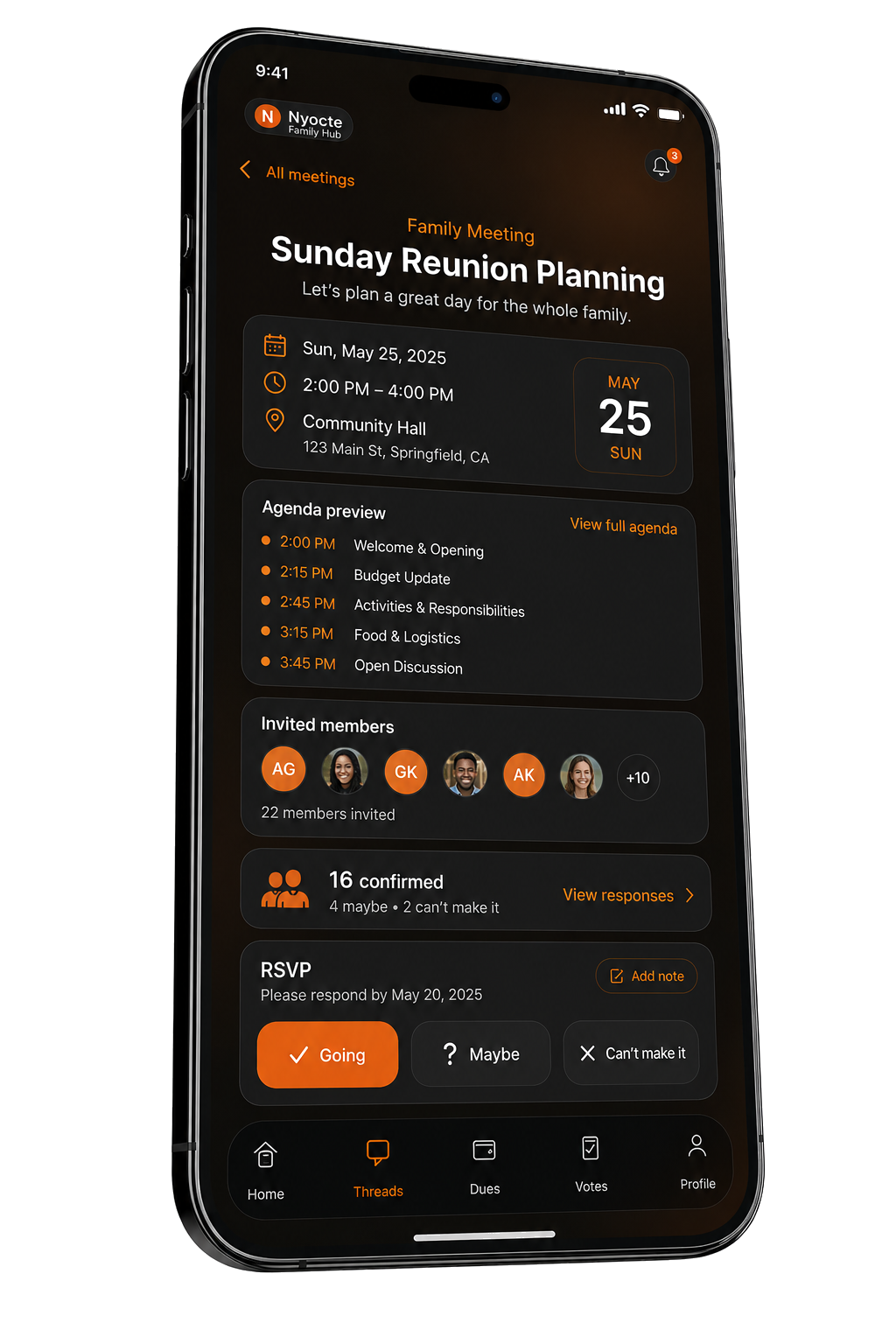
Nyocte Family Meeting — Sunday Reunion Planning, agenda preview, 16 confirmed
11:08

Sunday reunion planning.

Agenda already typed up: welcome, budget, activities, food. Sixteen RSVPs in. Two maybes. The whole hall knows where to be on Sunday before the meeting even starts.
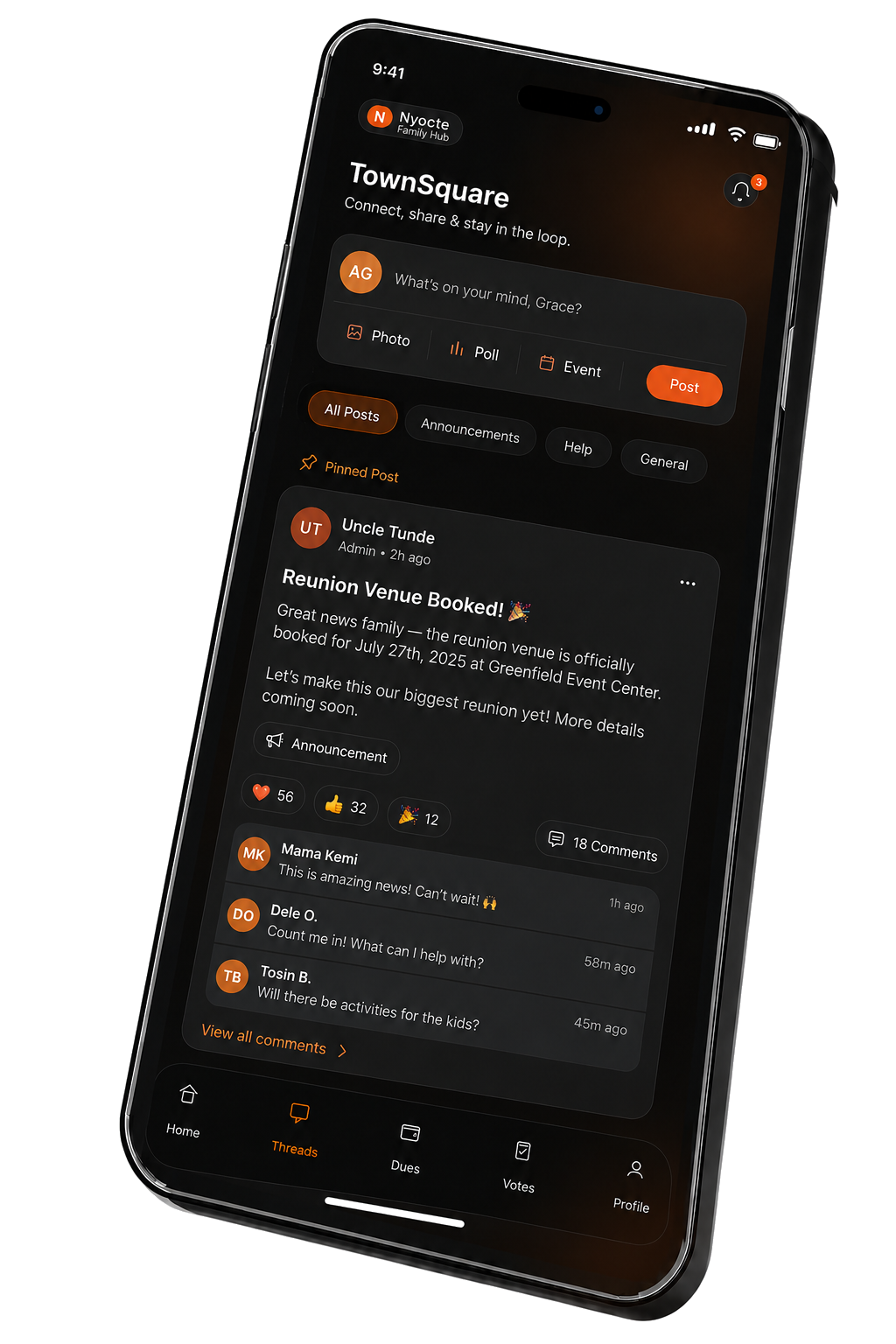
Nyocte TownSquare — Uncle Tunde post: Reunion venue booked, family comments and reactions
12:30

Lunch break. Uncle Tunde drops the news.

Reunion venue booked for July 17th. The whole family lights up. Drums and echoes ripple across the feed. Tosin's already asking about the kids' activities. Mama Naira can't wait. Half the conversation has happened before you finish your sandwich.
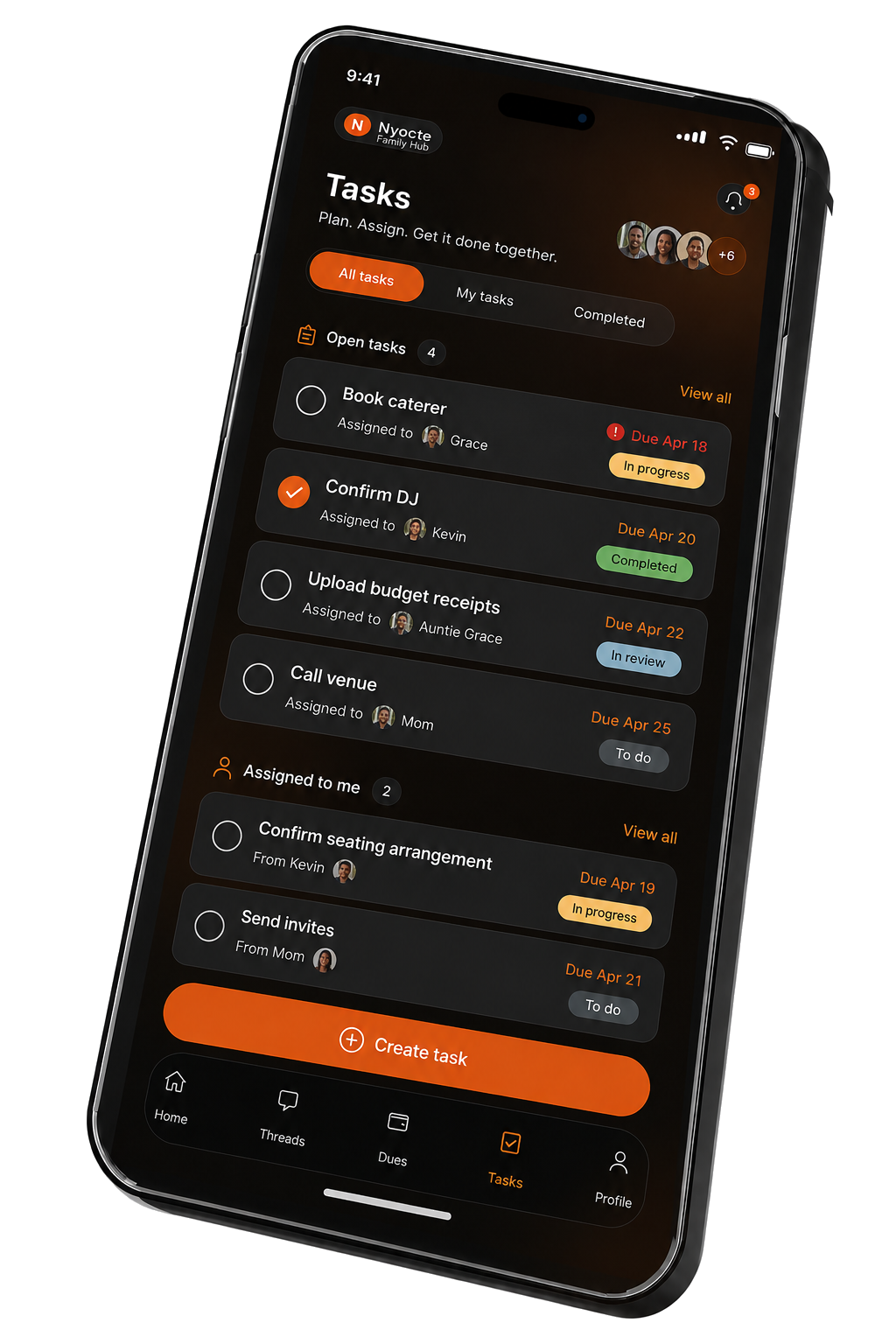
Nyocte Tasks — Plan, assign, get it done together. Open tasks for the reunion.
13:30

Everyone takes a piece.

Grace has the caterer. Auntie Grace is on the DJ. Mom's calling the venue. You've got the seating chart. Nothing falls through the cracks — because nothing is in someone's head, it's in the shared list, and the list knows who's doing what by when.
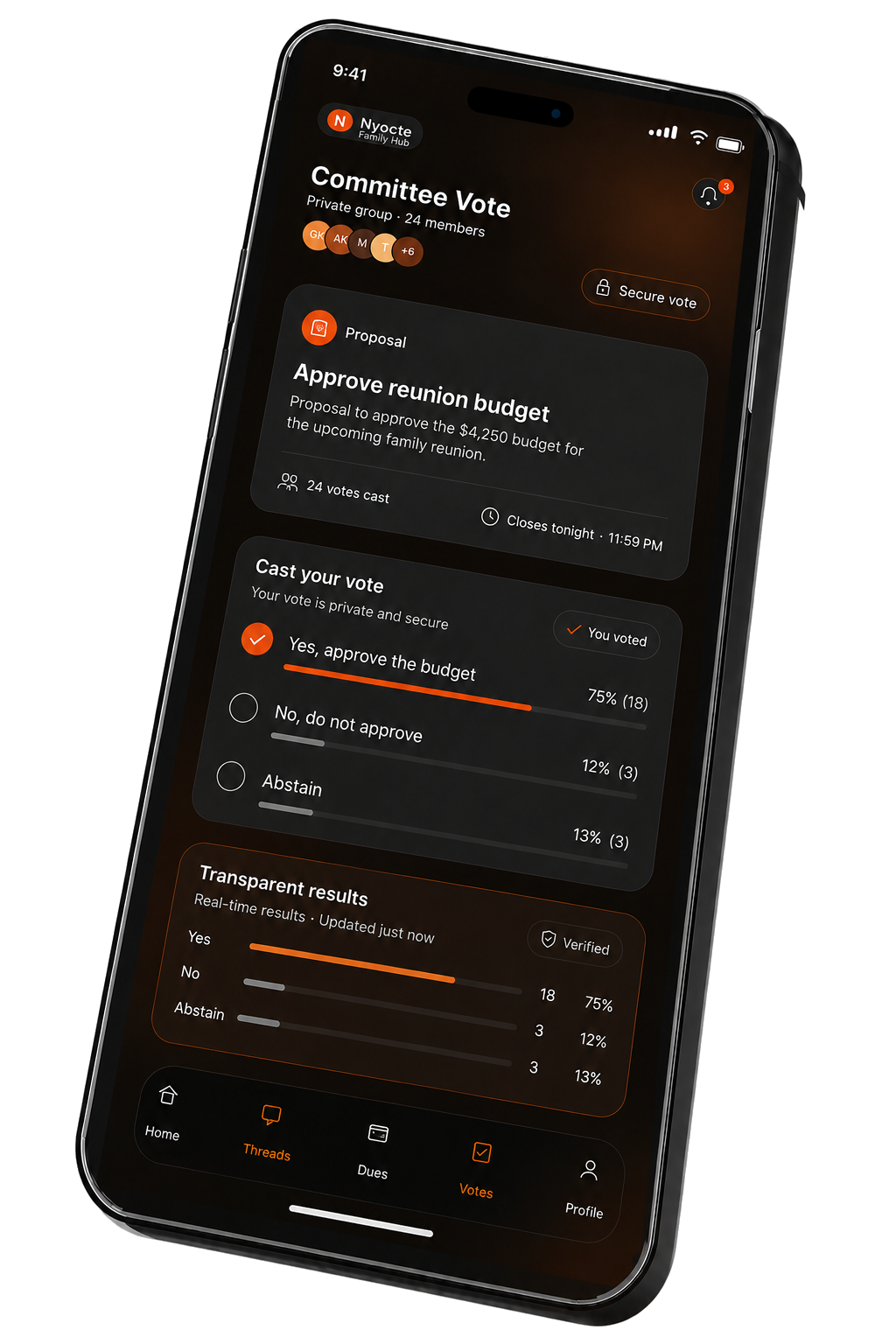
Nyocte committee vote — Approve reunion budget, transparent results
15:00

The committee decides.

The reunion budget needs a vote. You see who voted, when, and the live tally — verified, transparent, kept with the group. No polls buried in a chat. A proper decision, with a proper record.
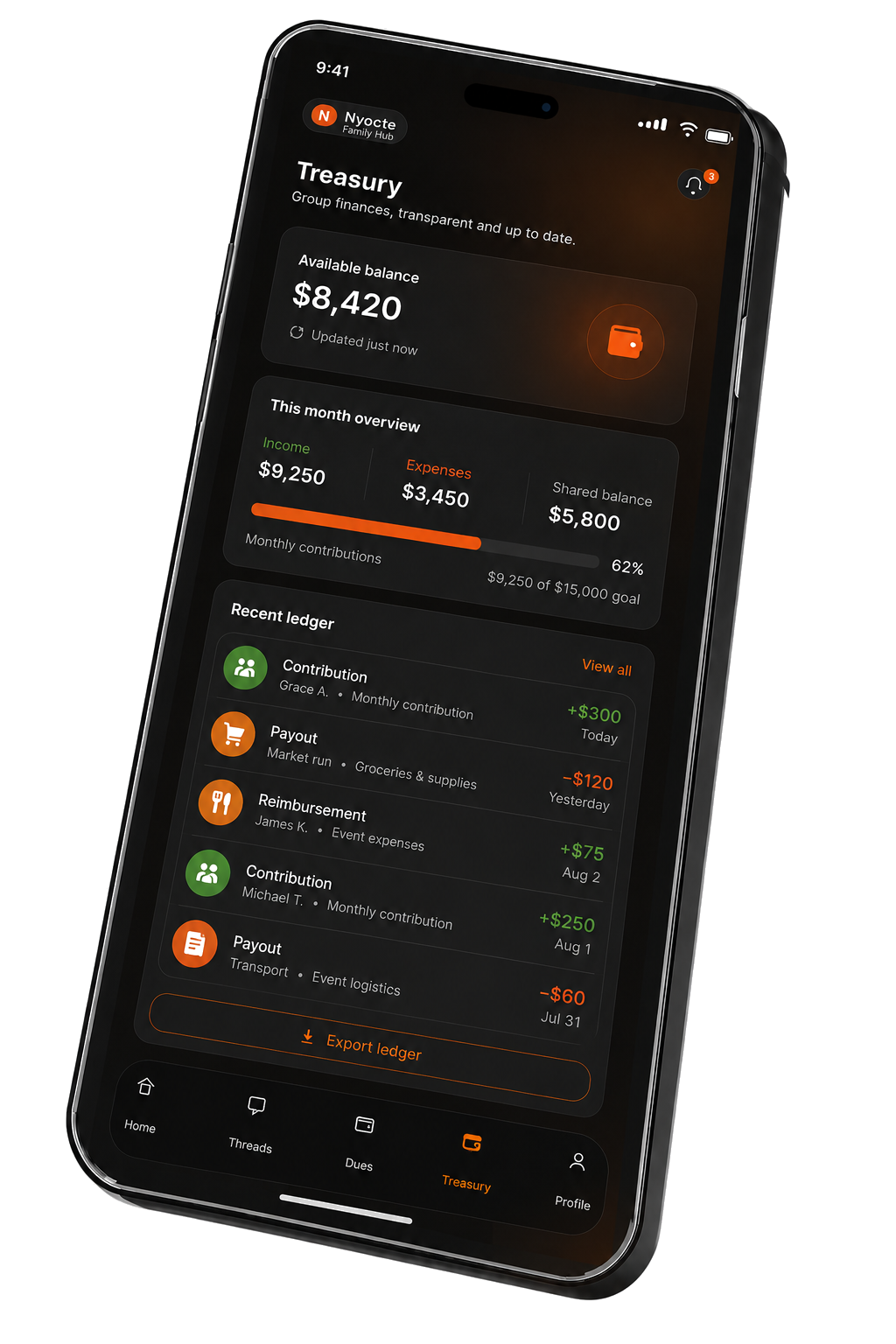
Nyocte Treasury — Available balance $8,420, monthly overview, recent transactions
16:00

The Treasurer opens the books.

Eight thousand four hundred twenty in available balance. Every contribution. Every payout. Every reimbursement — line by line, with names. When the AGM comes, the annual report writes itself. You stop dreading the spreadsheet, because there isn't one.
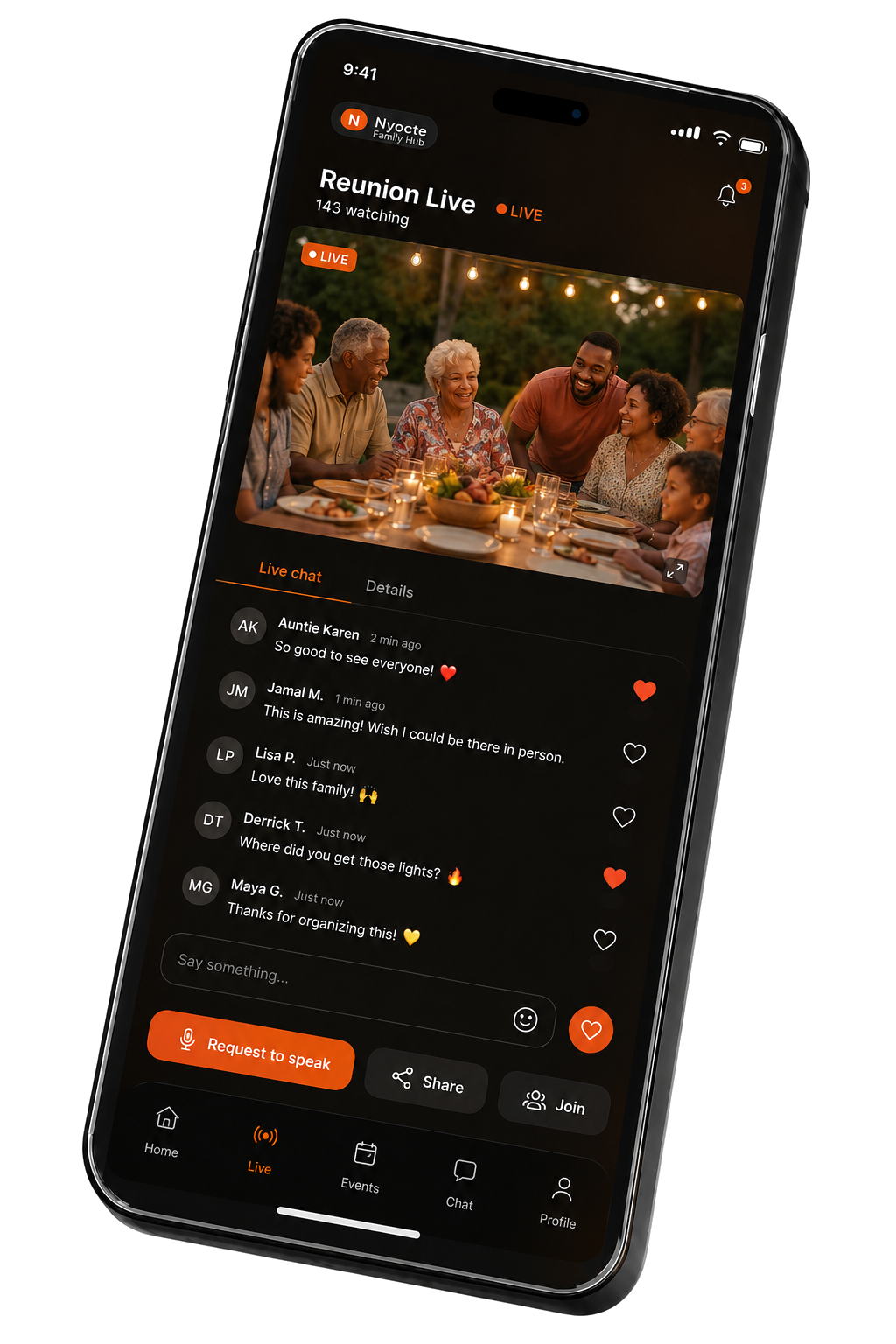
Nyocte Reunion Live — 142 watching, family at the table with string lights, live chat
18:30

The reunion is live, before the reunion.

Auntie Karen is live from the table. One hundred and forty-two people watching together — half of them on three different continents — sending hearts, asking for the recipe, telling Demos where to get the lights.

Topp xaalis bi ba ci amal wote: Nyocte dafay wuutu waxtaan yu tasaaroo ak tablo Excel yi ak jumtukaay yu ñu defal mbooloo.

Lépp lu sa mbooloo soxla

  1. 01

    Saytu yi bokk

    Wool yi bokk, jox leen seen wàll, te saytu sa mbooloo ak jumtukaayi njiit yu leer.

  2. 02

    Topp xaalis bi

    Topp fayu bindu, wàllu yi ak xaalisu mbooloo mi ak ab komtaabilite bu yomb.

  3. 03

    Yónnee xaalis

    Yónnee xaalis yi bokk, dajale wàllu yi te fay ñi war a jot — lépp ci Stripe, ak fere yu leer.

  4. 04

    Ndaje ak ordre du jour

    Tëral ndaje yi, saytu ordre du jour bi, te denc PV yi ak li ñu war a def ak li ci topp.

  5. 05

    Topp ñi teew

    Bindal ñi teew ci ndaje yi ak xew-xew yi. Xamal ku ñëw, ku yéex ak ku ñàkk — te àmànd yi di tàmbali seen bopp.

  6. 06

    Wote ak dogal

    Amal wote ci ay anam yu bari — ñi ëpp, tànn ci toftale, walla ñépp déggoo. Gis ngirte yi ci saa si.

  7. 07

    Waxtaanu mbooloo ak bu ñaari nit

    Nekkal ci jokkoo ak bataaxali mbooloo, bataaxal ci sa digante ak kenn, te gis ci saa si kuy bind.

  8. 08

    Woote baat ak wideo

    Tàmbalil woote ak kenn walla ak mbooloo ci biir bépp waxtaan. Dafay dox ci ginnaaw, te dinga jot yëgle bu woote ñëwee.

  9. 09

    Yëgle yi

    Tëqal xibaar yu am solo yi, xamal ñi leen jàng, te sa mbooloo di xam lépp.

  10. 010

    Limu bisnes yi

    Yi bokk mën nañu bind seen bisnes, sos xëti sarwiis ak jël rendez-vous ak fay, te tabax ay jokkoo koom-koom ci biir sa mbooloo.

Waxtaani mbooloo ngeen doon doxale. Lii mooy li ngeen ñàkk.

Lu tax mbooloo yi tànn Nyocte

Su Nyocte amulNyocte
Kenn toppul xaalis biTopp wàllu yi mi ngi ci biir
Bataaxal yi dañuy réer ci waxtaan wiNdaje ak PV yu nosu
Amul yoonu woteAnami wote yu bari
Yi bokk amuñu wàllNjiit ak wàll yu leer
Kenn toppul ñi teewTopp ñi teew, moom ci boppam
Bind lépp ak loxoKomtaabilite buy dox moom ci boppam

Soo jiitee nat, komite walla klëb — Nyocte dafay topp ni sa mbooloo di doxe.

Ñu defal ko bépp xeetu mbooloo

Say jéego yu njëkk ci Nyocte

  1. 01

    Tàmbalil ci sa telefon

    Sosal sa kont ci application Nyocte bi ci telefon. Ngir lëkkale ab navigateur, eskaneel QR code bu duggu bi ci Parameetar → Jumtukaay yi lëkkaloo.

  2. 02

    Sosal sa mbooloo

    Tànnal: Xarit ak dëkkandoo, Mbootaay walla klëb, walla Mbooloo denc xaalis walla wàllu.

  3. 03

    Wool yi bokk

    Séddool lien bu woote walla nga yokk yi bokk ci say kontak.

Laaj yi ñuy faral di laaj

Ndax Nyocte dëgg-dëgg amul fay?

Waaw, Nyocte amul benn fay ci mbooloo yépp. Amul fay bu nëbbu, amul abonmaa bu ñuy fay, amul dara lu ñu tëj. Gëm nañu ne bépp mbooloo yelloo na jumtukaay yu baax.

Ndax samay xibaaru xaalis wóor nañu?

Waaw, dëgg-dëgg. Xibaar yépp dañu leen di chiffrer bu ñuy dem ak bu ñu leen dencee. Nyocte du denc, du it yëngal seen xaalis — fay yi Stripe moo leen di topp, te am na sertifikaa PCI-DSS Level 1. Këyiti xaalisu sa mbooloo sutura la, te yi bokk yu am sañ-sañ rekk a leen mën a gis.

Lan moo ko wutale ak waxtaani mbooloo?

Waxtaani mbooloo baax nañu ngir bataaxal, waaye defaruñu leen ngir jiite mbooloo. Nyocte dafa lay jox topp xaalis, wote, saytu ndaje, topp ñi teew, àmànd, liggéey, limu bisnes, neexal ak njiit lu leer — lépp lu application waxtaan mënul a def.

Ndax mën naa ko jëfandikoo ci telefon ak ci web?

Waaw. Sosal sa kont ci application iOS walla Android. Ngir jëfandikoo Nyocte ci navigateur, demal ci Parameetar → Jumtukaay yi lëkkaloo ci sa telefon te eskanee QR code bu duggu ci web bi. Gan yi ci ndaje mën nañu bokk ci ndaje ci navigateur te amuñu kont.

Yan jumtukaayi xaalis ñoo ci nekk?

Mbooloo yi am nañu ay konti xaalis yu bari (bu mag bi, bu denc, bu am jubluwaay), topp wàllu yi, dajale xaalis ak tablo dige yi, tëralinu wër ngir stokvel yi, bidse yu ñu séddale ci xeet, faktiir, ak jaar-jaaru fay yépp — lépp ci xaalisu mbooloo mi.

Naka la saytu ndaje di doxe?

Tëral ndaje benn yoon walla yuy dellusi, ak ordre du jour, béréb ak tontu teewaay. Topp ñi teew moom ci boppam, bind PV ndaje bi ak li ñu war a def, te yi bokk dinañu jot fàttali balaa ndaje mu nekk.

Ndax mën naa amal wote ak pal?

Waaw. Sosal wote ak tànneef yu nga bëgg, àpp, limu ñi war a wote (quorum) ak anami wote yu bari. Yi bokk mën nañu sax jox seen wote keneen ku ñu wóolu. Ngirte yi dañuy waññiku seen bopp.

Ndax Nyocte am na woote baat ak wideo?

Waaw. Tàmbalil woote baat walla wideo ak kenn walla ak mbooloo ci biir bépp waxtaan. Woote yi WebRTC lañuy jëfandikoo jaare ko ci LiveKit, te dañuy dox bu application bi nekkee ci ginnaaw sax — dinga jot yëgle bu woote ñëwee.

Yan làkk la Nyocte am?

Nyocte am na ci lu ëpp 50 làkk, ci biir Angale, Afrikaans, Zulu, Xhosa, Sotho, Tswana, Swahili, Faranse, Español, Purtugees, Araab, Hindi ak yeneen yu bari. Soppil sa làkk ci parameetar yi.

Ndax mën naa saytu li yi bokk mën a def?

Waaw, dëgg-dëgg. Mbooloo yi dañuy ñëw ak wàll yu jëkk (Président(e), Vice-président(e), Trésorier(ère), Secrétaire, Ki bokk) te mën nga sos say wàlli bopp ak sañ-sañ yu leer ci xaalis, ndaje, wote, dokumaŋ, àmànd ak yeneen.

Ndax mën naa jox yi bokk ay liggéey?

Waaw. Sosal ay liggéey ak li gën a jamp, àpp ak ki koy def. Boole leen ci ay porose te topp fu ñu tollu: lu ñu war a def, lu ñuy def, ak lu pare.

Naka la daan ak àmànd yi di doxe?

Admin yi mën nañu joxe yégël, àmànd walla taxawal ku moy sàrt yi. Mën nga ko tëral mu gis moom ci boppam ñi yéex, ñi ñàkk ak wàllu yu ñu fayul. Yi bokk mën nañu wecci daan bi, te sàrti yokk daan yi yépp mën nga leen soppi.

Lan mooy Limu bisnes yi?

Yi bokk ci mbooloo mi mën nañu bind seen bisnes, sos ay sarwiis ak arminaatu rendez-vous, te saytu seeni kiliyaan ak CRM bu ci biir. Dafay dimbali ci tabax jokkoo koom-koom ci biir sa mbooloo.

Ndax am na yoonu neexal walla fidelite?

Yi bokk dañuy am ay poñ su ñu bokkee — teew ci ndaje, joxe wàllu, wote ak waxtaan. Poñ yi dañuy ubbi ay badge te mën nañu leen weccee ci limu neexal yi. Ab tablo dafay wone ñi gën a bokk, te ku ko def bés bu nekk dina am neexal.

Ndax mën naa génne xibaari sama mbooloo?

Waaw, saa su nekk mën nga génne këyiti xaalisu sa mbooloo, limu yi bokk ak PV ndaje yi. Say xibaar, yaa leen moom.

Ndax mën naa far sama kont?

Waaw. Demal ci Sutura ak kaarange ci parameetaru sa profil te tànn Far kont bi. Am nga 30 fan ngir neenal ko. Bu loolu weesoo, say xibaar yépp dinañu far ba fàww.

Pare nga nos sa mbooloo?

Boole xaalisu sa mbooloo, ay ndajeem, ay woteem ak ay waxtaanam. Tàmbalil ci telefon te lëkkale sa navigateur boo ko soxlaa.

Tàmbalil saytu sa mbooloo